

What it does
A desktop that is never quite the same twice.
LADE is the name of the series — its game is still to come. Aquarium is its desktop: your screen becomes the aquarium she lives in.
Light that follows your day
Hand-painted light for night, morning, noon and dusk, blended as the hours pass — through the seasons and the 24 solar terms.
Your weather, on her
Optionally follows the real weather where you are: rain beads and runs down the glass, snow falls, frost creeps in, stars come out.
Below the surface
Take the scene underwater. Caustics ripple across her, shafts of light reach down, and the colours deepen as you go.
She sings along
When you play music, she sings along — her mouth moves with the lyrics that are playing, and a ring of light follows the sound. Audio is analysed on your Mac only — nothing is recorded, stored or sent.
Time at a glance
Clock, date, forecast and your next calendar event, drawn in a quiet dot-matrix style on the desktop itself.
Out of your way
When a window covers the desktop, she pauses. No accounts, no analytics, no ads.
A drawer in the notch
Move the pointer to the notch and a drawer opens: switch the time of day, weather, scene, character and quality in one click, with what's playing right there.
Work Mode
One click packs the wallpaper away and frees all the memory and GPU it was using; the drawer keeps working. Click again to bring it back (it takes a few seconds to reload).
Cursors to match
Swap the system-wide mouse cursor for a set that matches her style, or keep the system default. Greyed out on macOS versions that don't allow it.
Desktop widgets
The small things, on your wallpaper.
Pick what sits on the desktop around her. Each widget has one or two settings at most — they are meant to work the moment you place them.
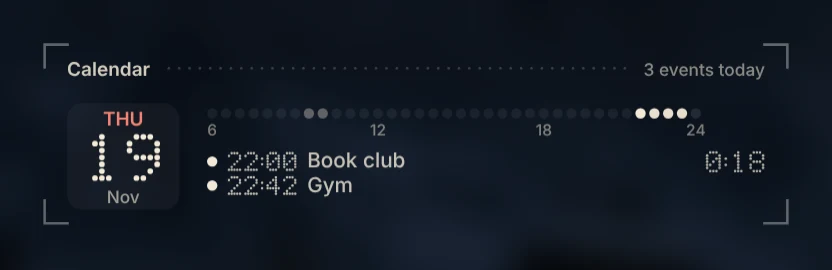
Clock & calendar
Time, date and your next event from the Calendar app on your Mac — Google accounts added there included.
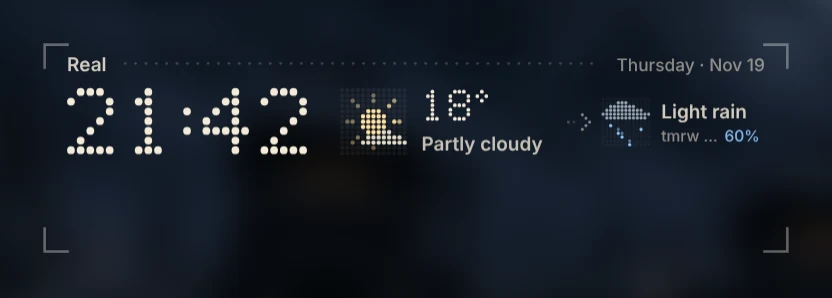
Real weather
The weather where you are and the next three days. Type a place, or let it find your city.
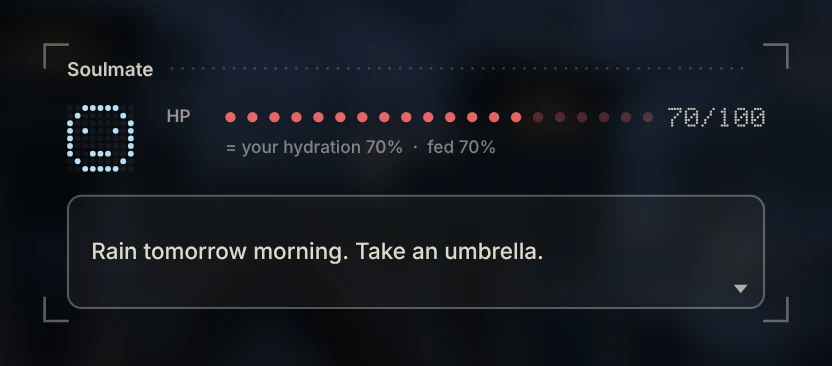
Water & meals
Two bars that run down through the day. She reminds you to drink; one tap to log it.
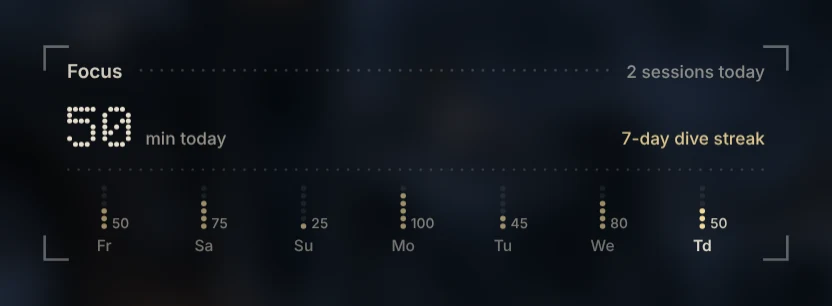
Focus timer
Pull down on the notch to set the minutes, one at a time — a focus session or just a quick timer.
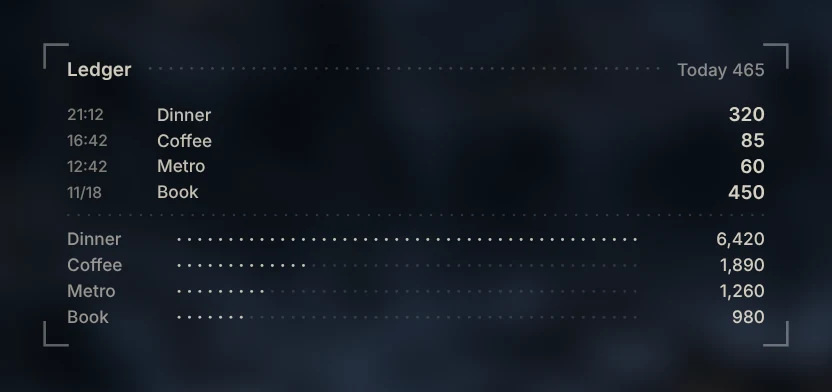
Quick ledger
Jot down what you spent in a few keystrokes and see the month at a glance.
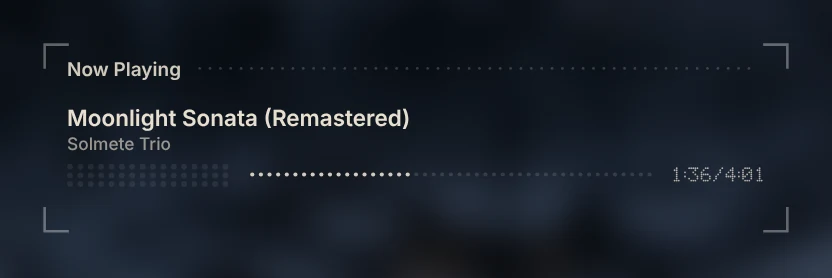
Now playing & lyrics
The music ring follows what you play; synchronized lyrics are one switch away.
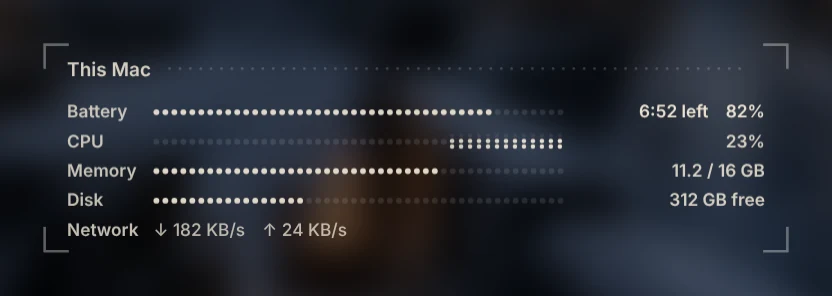
This Mac
Processor, memory and battery, quietly in a corner.
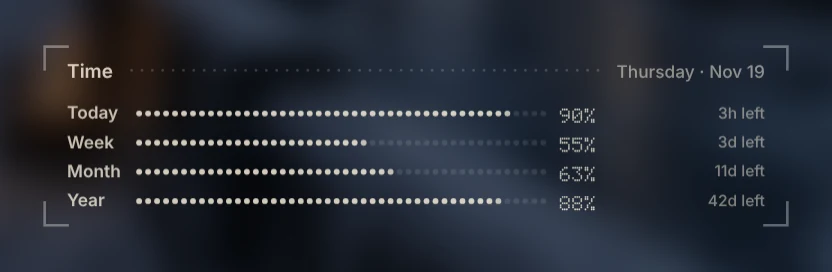
Day progress
How far through the day, week, month and year you are.
The system gauge in the drawer
Battery on the outside, CPU on the left and GPU on the right, and a round window of water in the middle — in the same colors as your volume bar. The more power your Mac draws, the faster the bubbles; when it runs hot, the water glows red. Try the slider.
The notch becomes a small status bar — the song, the timer, and what she has to say.
These are the real widgets from the app (with sample data).
Why we made it
One terminal for the services you use.
A desktop should be pleasant to look at — and it is also the one place you see all day. LADE is built as a terminal for your services: the clock, weather, calendar, focus timer, reminders, ledger and music in one place, signed in with the accounts you already have — Google, or each service’s own.
Many single-purpose apps charge for one small thing that AI and the platforms are quickly making ordinary. LADE replaces that pile of apps with one quiet companion; you no longer open a dozen windows for a dozen chores.
Most of it comes with the app. Some modules are worth paying for on their own — tools with real depth, not borrowed from another service — and those will be offered as paid modules or subscriptions. Our aim is one integrated service around your day; Aquarium is the first piece.
Hand-painted light
Same scene, a different hour.
Each part of the day has its own lighting, painted for the character rather than filtered on top — her hair, skin and dress each take their own light.


Stills assembled from LADE’s own layers. In motion she also breathes, her hair sways, and the weather plays across the scene.
Scenes
One season, one room, one place outside.
Each scene has its own day, night and underwater version. Scenes are free in the app, and more are added over time.


The character
Solmete
Her body is sealed in crystal. She can speak only through a bookmark — and on your Mac, your desktop is that bookmark.
Reserved and sparing with words, she still notices when you have been sitting too long. Her lines come in English, Chinese and Japanese.
Character preview
Solmete comes with one outfit today. Previews of the others will be added here when they are ready.
Maid dress
Her everyday outfit, included with LADE Aquarium.
Valkyrie series
Three versions of her battle dress (Base, Black, Demon Lord), with a transformation effect.
Noble dress
Free for everyone at 300 copies.
More to come
More outfits, and a second character.
Milestones
Every copy builds the next step.
These are goals, not dates — progress is posted here and on the store page. After 2,000, every further 1,000 copies brings either a free outfit or a new widget, in turn. The game demo does not wait for sales: it is released when it is ready.
- 100copies
Apple notarization — LADE Aquarium opens without a security warning.
- 300copies
The Aristocrat outfit, free for everyone.
- 500copies
Release on Steam.
- 1,000copies
Open requests: supporters propose and vote on the next widget.
- 1,500copies
Work begins on a second character — her look chosen by vote.
- 2,000copies
A voice for Solmete.
Just launched — the count starts here.
Get LADE
Early access
US$4.99
LADE Aquarium is a one-time purchase. Editions:
- LADE AquariumUS$4.99 · ¥750
Solmete and the maid outfit. Art up to 2880 — native for laptops and 4K screens.
- LADE Aquarium + Valkyrie seriesUS$9.99 · ¥1,500
The app plus the Valkyrie series: the combat suit in three versions (base, Black, Demon Lord) with its transformation effect. Already have LADE Aquarium? The Valkyrie series is sold on its own on BOOTH.
- HD editionUS$14.99 · ¥2,250
Everything above, plus the original 4K art. The difference shows only on 5K and 6K screens; on a normal screen, LADE Aquarium is all you need.
Available on itch.io (US$4.99) and BOOTH (¥750), worldwide. Steam comes at 500 copies.
- SystemmacOS 13 Ventura or later
- MacApple silicon recommended (runs on Intel, not yet tested)
- LanguagesEnglish · 中文 · 日本語
- IncludesSolmete · Maid dress
- NotarizationThis early-access build is not yet notarized by Apple
- WindowsPort in progress, no date yet
Where to find us
itch.io
Early Access · priced in US dollars
BOOTH
Early Access · buy from anywhere
- Coming soon
Steam
At 500 copies
X · @PneumaTheorem
News and devlogs
Support LADE
If you would like to give more than the price of the app, these supporter packs go straight into the next milestone.
- Choose your amount
Supporter
US$5+
- Your name on the thanks page (or stay anonymous)
- A digital art pack — wallpapers and full-size character art
- Bonus merch
Patron
US$50
- Everything in Supporter
- A supporter-only outfit for Solmete (download key when it is finished)
- Physical merchandise as a bonus once the support goal is reached
- Credits
Benefactor
US$100
- Everything in Patron
- Your name in the app’s credits
- A written reply to one suggestion, shortlisted for the next widget vote
Supporter packs are purchases of digital goods, not donations, and are not tax-deductible. Physical merchandise is a bonus that ships only once the support goal is reached; the goal, regions and timing are shown on the order page.
Questions
Why does macOS warn me when I first open LADE Aquarium?
Early-access builds are not yet notarized by Apple — notarization is the first milestone. Until then, macOS asks you to confirm once. Here is how.
Does LADE collect my data?
No analytics, no ads. Features that connect to a service — your calendar, the weather, lyrics — talk to that service directly from your Mac, with its own account where one is needed. The privacy page lists each one.
Will it slow my Mac down?
LADE pauses when a window covers the desktop, so it draws only while you can see it. On a laptop that stays on all day, choose Standard quality or 30 fps on the Performance page.
Which quality should I pick?
The Performance page lines the qualities up for your screen: HD matches your screen (the default), Enhanced is finer and runs warmer, Standard saves power. PRO renders the lighting effects at full resolution too, and frame rate can be 30 or 60.
Can I stream or record LADE?
Yes — including on monetized channels. See Streaming & videos.
Is there a Windows version?
A Windows port is in progress. There is no date yet — progress will be posted in our news and on X.
Which outfits are included?
The Maid outfit. The Valkyrie series is an add-on (and part of the HD edition); the Aristocrat outfit becomes free for everyone at 300 copies.